
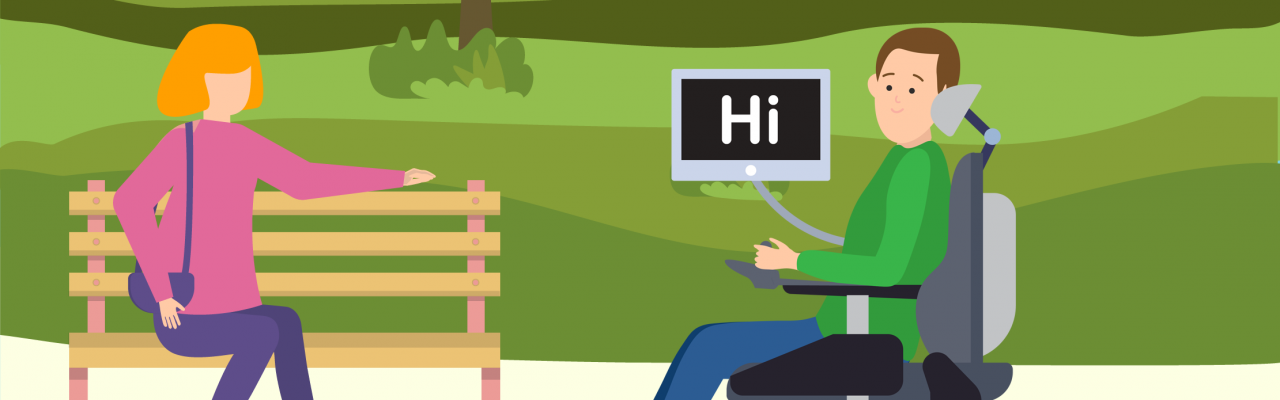

Eye gaze technology can open up new opportunities for individuals with complex access needs. It can support communication, interaction with games, participation in learning and employment, and even control of digital or physical environments.
Introducing eye gaze to a learner, especially a child, can come with challenges. Early engagement often depends on making the experience enjoyable and accessible. Jumping into communication-focused tools too soon can be overwhelming and may discourage consistent use. It can often make sense to help the child master the access method of eyegaze through fun and motivating activities, focusing on cause and effect, and choice making, before moving to communication functions.
Eye gaze use involves various cognitive and motor skills. Not all learners will progress to communication or full computer access, but any improvement can enhance participation in daily activities. Progression is often non-linear: learners may move through different stages at their own pace, sometimes revisiting earlier skills to reinforce learning.
When just starting with eye gaze, it’s easy to get caught up in making the calibration perfect. However, for early activities like sensory games or cause-and-effect exercises, a quick one-point calibration is usually enough. The primary goal is to engage in the activity, rather than spending excessive time fine-tuning settings. The same goes for positioning. If you’ve found a setup that works, mark where the chair and stand go with tape. This makes it faster to set up next time by using these positioning guides. Keeping things simple helps the learner stay relaxed and makes the session more enjoyable for everyone. Beginner eye gaze should feel fun and motivating, not like a chore.

Poster from Call Scotland, 2016
Tips for Supporting Eye Gaze Access
- Minimise distractions: Reduce lighting glare and background noise; choose a quiet environment whenever possible. Facing a blank wall can help with focusing on the screen.
- Ensure comfort: Use appropriate mounting to position the screen at a comfortable angle (e.g., while reclined). Ergonomic positioning is crucial—consider options from providers like Tobii, Rehadapt, or Liberator. Move the device to suit the person, rather than moving the person to suit the device.

Poster from Call Scotland 2018
- Observe screen engagement: Watch for patterns in gaze behaviour. Are some areas of the screen being avoided? Some software includes heatmap analysis tools to review gaze activity.
- Adjust settings: Features like dwell time can be customised. Pairing eye gaze with a switch may also help with selection. Try to choose a body part other than the head to ensure that activating the switch does not interfere with the position of the eyes.
- Incorporate engaging content: Use bright visuals, sound, and familiar or favourite images (e.g., simple activities like putting up family photos on the screen).
- Keep it fun: Use games or interactive videos to build skills in an enjoyable way.
Software for EyeGaze Skill Development
- Has a Built-in heatmap analysis to track gaze behaviour
- A collection of 40 activities designed to support early eye gaze development
- Sensory – Cause and effect
- Explore – Whole-screen engagement
- Target – Accuracy development
- Choose – Decision-making
- Control – Fine-tuning gaze skills
Price: £360
Trial: Access to 3 free activities
Scenes & Sounds Expansion Pack (Smartbox)
- Adds 26 new activities to an existing Look to Learn license.
Note: Requires Look to Learn license.
Price: £180
- Designed for teens and adults
- 38 games and creative activities
- Customizable modes (Easy and Standard)
- Age-appropriate content
Price: £480
Trial: 14-day free trial
Eye Gaze Pathway (Tobii Dynavox)
- Comes with videos, practice activities, and communication tips
- A structured learning pathway across six levels:
- Engagement
- Responding
- Exploring
- Targeting
- Choosing
- Control
Price: Free (with Tobii eye gaze device)
Inclusive Eye Gaze (Liberator UK)
- Collections of fun, interactive activities designed to teach early eye gaze and choice-making skills.
Price: £150 per game pack
- 21 games optimized for eye tracking
- Designed for users with a range of physical and cognitive disabilities
Price: €399
Eye Gaze Games (SpecialEffect)
- A library of free, browser-based games—single-player and online multiplayer
- Titles include: Mole Miners, Eye Drive, Chess, Sudoku, and more
- Has video guide covering How to Play Simple to Set Up Games Using Eye Gaze Technology
Price: Free
HelpKidzLearn Progression Guides
Two free guides to support eye gaze learning:
- Starting Your Eye Gaze Journey– Practical tips and foundational strategies
- My Eye Gaze Journey– A tool for tracking milestones and personalizing learning
Price: Free
Additional Eye Gaze Training
Eye-Gaze Technology: What you need to know
Provider: The Education People
Audience: Primary, Secondary, NHS, Health Professionals
Method: Online, On-Demand and self-directed
Duration: 1-hr
Price: Free
Eye Can Do It: an introduction to learning, communication and control for eye gaze access
Provider: CALL Scotland
Audience: Anyone supporting someone with eye gaze including the classroom
Method: Online, Webinar Recording
Duration: 1-hr
Price: £30
Provider: SETBC
Audience: Therapists and AT Assessors
Method: Online, Online, On-Demand and self-directed
Duration: 1-hr
Price: Free
Introduction to Eye Tracking: A Hands-On Tutorial for Students and Practitioners
Authors: Enkelejda Kasneci et al.
Audience: Those looking for an in-depth analysis of eye gaze tech
Method: Online, Academic Article
Duration: 1-hr
Price: Free.
You can find Enable Ireland’s Eye Gaze Quick Start Guide on the AT Loan Library Website, or Link Assistive has an in-depth Implementing Eye Gaze Guide.