

Introduction
This recorded webinar has been created by the Digital Assistive Technology Training Network (DATTN). It is the second in a series of 5 webinars, each looking at how AT can support different parts of everyday life. DATTN is a partnership of 12 organisations working together to share knowledge about assistive technology. The project is funded by The Wheel through the Training Links Programme, with support from the National Training Fund. Learn more about DATTN.
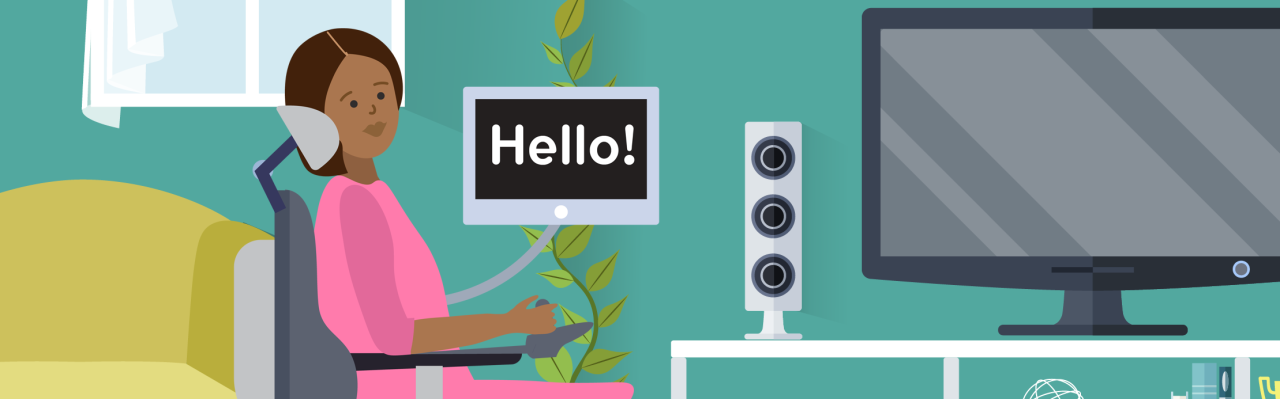
This session focuses on AT for Communication. It emphasises the critical role of assistive technology (AT) in enhancing communication for individuals with diverse needs. This area of AT often referred to as Augmentative and Alternative Communication (AAC) encompasses a range of communication methods beyond speech, including no-tech, low-tech, and high-tech solutions, and is a fundamental human right.
The webinar is introduced by Anne Marie McDonnell (Rehab) and presented by Polly Walsh, Senior Speech and Language Therapist at Muiriosa Foundation and Christina Cannon, Senior Speech and Language Therapist at St John of God Services.
Webinar Recording
Click here to read the full descriptive transcript of this webinar
Descriptive Transcript
Assistive Technology for Communication
Anne-Marie: Good morning everyone. I’m just going to wait, I can see a few more people are coming in. I’m going to get started because we’ve got a really busy day ahead this morning for the webinar. So thank you so much for joining us today for our webinar Assistive Technology for Communication. My name is Anne-Marie McDonnell and I work for Rehab Group. By way of a visual descriptor, I’m a white female, I’ve got a round face, blue eyes, brown hair to my shoulders and today I’m wearing a blue denim top with a zip. Firstly we just want to really thank our funders. This series of assistive technology webinars are funded by Training Links through the Wheel and that funding is through the National Training Fund in DFHERIS (Department of Further and Higher Education, Research, Innovation and Science) so we’re really appreciative of that. This is our second webinar of five. And we are looking forward to sharing more and more know-how as we go through. I will also just need to say a big thank you to all our consortium members. o Acquired Brain Injury o Corlann o Enable Ireland o The Independent Living Movement Ireland o MS Ireland o Marisa Foundation o Parkinson Ireland o St John of God o St Michael’s House o Sunbeam Services o Vision Ireland And that’s all you’re going to hear from me today because I am going to hand over now to Christina and to Polly. And thank you to Ella also for joining us as our sign language interpreter. And we look forward to learning with you today. The chat will remain open. Q&A is open as well. But we’re going to hold questions to the end because we’ve a lot to get through. Thank you so much, everybody. Polly, Christina, over to yourselves. You’re on mute guys. Christina : Great start. Thank you so much Anne-Marie and hi everyone. I’m Christina. Just for a visual descriptor, I am a white woman in my late 30s with brown shoulder length wavy hair and I’m wearing a white top and sitting beside me is Polly. Polly: I’m Polly. I’m a white woman in my 40s with long dark brown hair wearing a long sleeved white top. Christina : So like Anne-Marie said, today’s session is the second of our five webinars, and today we’re going to be looking at assistive technology for communication, otherwise known as augmented and alternative communication, or AAC. And throughout all of the webinars, you’re going to hear directly from assistive technology users on the impact that AT has had on their daily lives. And today we will hear from Owen, Lauren, Izzy, and another Owen, who all use AAC in different ways to support their communication. Polly and I will give you a brief introduction to AAC and some general ideas and strategies to help support AAC implementation and we’ll also share some ideas on how you can get started and signpost you to some additional resources. We will hopefully have time for questions at the end like Anne-Marie said if you have a question you can submit it on the Q&A feature but yeah like Anne-Marie said we’re going to save all of our questions to the end. So what is assistive technology? So according to the World Health Organization, assistive technology refers to any product or system that helps people improve their functioning and independence. And that might mean helping someone move around, communicate, hear, see or manage their health. It could be something really simple like a walking stick or a pair of glasses or something more advanced like a voice controlled smart speaker, a screen reader or a medication dispenser. But the important thing is that assistive technology is not one size fits all. And to be really helpful, assistive technology needs to be person-centered. And that means it should be chosen based on the person’s goals, their strengths, and their environment. Digital assistive technology then are tools that run on phones, on tablets, on computers, or on smart devices. Things like built-in accessibility features like voice controls, screen magnifiers, or text. speech, apps that support health, communication or daily routines, smart home devices that help with safety, comfort and independence. And digital tools can be powerful, but they also need to be easy to use, reliable and well supported. And choosing the right technology is just the first step. So for all assistive technology to work well, people often need training to learn how to use it, support from family, carers or professionals and time to try things out and see what fits and what works best for them. So before we talk about assistive technology specifically for communication, it’s really important that we recognise that communication is a basic human right. So children and adults with communication differences have a right to access AT for communication. It’s really important that we’re all advocating for that. Legislation exists specifically in relation to this. So we have Article 19 of the Universal Declaration of Human Rights. It says that everyone has a right to freedom of opinion and expression, including the right to speak. receive and impart information and ideas. And Article 21 of the United Nations Convention on the Rights of Persons with a Disability, it recognises that communication is a human right and acknowledges that it’s through any communication form of a person’s choice. Assistive technology for communication is called AAC. And AAC stands for Augmentative and Alternative Communication. And what that means is basically any communication method besides speech. So it ranges from no tech to high tech. And no tech includes using your body to communicate. So for example, gesture, eye movements, facial expression, body movement, as well as law for any keyword signing system. And I think when we say AAC, People generally assume that we’re referring to high-tech AAC, but actually AAC covers all methods of communication and all of those methods are equally valid. So there isn’t one form of communication that’s better than another. And actually, the most successful method of communication is the one that’s most natural and most accessible to the person. But in reality, most people will use multiple methods of communicating. But we really feel that we should be giving people opportunities to try different types of communication support. And obviously while continuing to respond to and respect all the ways that they currently communicate. And the AAC, it also includes low-tech communication supports. So that would be objects, pictures, photos, communication books, and more mid-tech supports like single message switches. Sit down. picture there on the slide that shows a big Mac button and that allows you to record one single message, which is obviously quite limited in terms of supporting communication because everyone has more than just one thing to say. So in certain really specific situations a mid-tech system might be useful for somebody. But as technology has progressed there is less of a role for those kind of low-tech and mid-tech supports because high-tech just does so much more, it’s so accessible now, and high-tech supports refer to communication software on iPads or phones or dedicated communication devices. So that’s what we’ll be talking about today. AAC is for anyone who can’t rely on speech alone to get their message across reliably, fully or efficiently. all of the time or some of the time. And that might be someone who is non-speaking or someone who is minimally speaking or someone who is unreliably speaking. The minimally speaking refers to somebody who uses a small amount of spoken language. And unreliably speaking refers to someone who maybe finds it difficult to speak in certain situations or environments. I think we assume that AAC… is that sometimes we assume that AAC is for people who are non-speaking or minimally speaking, but actually it can be really helpful for people who also speak. I work with a young person called Lauren, who’s going to talk a little bit about her experience of using AAC. [Girl with blond hair and a grey hoodie speaking directly to the camera.] Lauren: Hi, my name is Lauren Butler. I’m 24 years of age. I’m in the Marisa Foundation and I use ACC a lot because I find it easier to communicate when I’m in crowds of people or when I’m in a shop and I can’t say what I want to say. The ACC TD Snap really helps me to communicate more easier and to say what I want to say and I think the TD Snap should be used by… Not used but like should be known to more people because it could help a lot of people’s lives like it helped me. Polly: So you might imagine if you didn’t know Lauren that speaking is really easy for her. Lauren put herself an iPad and she downloaded TD Snap onto it. TD Snap is a communication system, one of many. She downloaded it onto it herself and learned how to edit it herself. She does all of my AAC training with me in the Marisa Foundation. She’s a really, really incredible advocate for AAC and for communication. Christina and I, we both support autistic adults and adults with intellectual disability. So when we talk about AAC, that’s where our experience lies. I also have an autistic daughter, Izzy, and she’s an AAC user. So it’s a really important part of my life. But AAC, it’s also used by children and adults with a really wide range of communication needs, including… people who’ve acquired communication difficulties after stroke or brain injury, people with progressive neurological conditions like Parkinson’s or motor neurone disease, and also people with physical disabilities. Christina: So next he wants to talk about why do we communicate and or why do we use AAC and the answer to that is why does anyone communicate? So AAC is communication. So Claudia if you don’t mind popping up the poll. So a poll should pop up and we just want you to type your answer to that question in. So why do we communicate or what are the reasons that we communicate for? So can you just pop some answers in there and we should see the answers starting to come in on the word cloud. And if you can’t see the answers to the poll, if you check the chat, it should be in the chat as well. [Text on screen reads “Why do we communicate? Audience provided answers populate over the next few minutes and are read out by Polly and Christina] Christina: If anyone wants to give it a go, try. Why do we communicate? So we have 19 responses, which… So it should be why, not how. That’s right, the answer is still going in. Yeah, yeah. So why do we communicate? So yeah, people are saying friendships, for attention, for social needs, social connection, a bit of craic, I love that. For goals and tasks, to advocate, to build relationships, for feelings and emotions. lovely for information for needs yeah immediate needs connection protest yeah voice our needs some similar teams coming in there which are lovely Polly: connection is a big one Christina: yeah needs is coming in there a lot we’ll just give it a couple more seconds just to see if anything else is coming in Yeah, I think that’s it. Polly: Yeah, couldn’t have answered those better ourselves. Christina: So we have talked about rights earlier and people have a right to communicate for all of the reasons that you just put into the poll there. People have a right to have a way to complain, to protest, to self-advocate, to make their own decisions, to set boundaries, to comment, to disagree. to get help, to share an idea, to discuss an interest, to ask a question, to tell a story, to greet, to joke. But really the most important part of communication, and it came up there in that word cloud as well, is about connection and interaction. So when and if you’re setting up a communication system for someone and with someone, just be careful that you’re not just using it as a choice port. So requesting things and having our needs be met. course is important, but it’s a very small part of why we all communicate. And we should always assume that people have the potential for more than just asking for things. Well, thank you so much for participating in that there. Christina: Next, we’re going to meet Owen. So Owen has recorded a video to tell us about his experience of using AAC. And just to let you know, to turn on captions for this video, you’ll need to. and select the CC symbol in the bottom right corner of the video and select English. The video begins with about 20 seconds of silence as Owen uses his switch to type and select what he wants to say. [Owen is a man in a wheelchair with 2 smart phones mounted where he can see them.] Owen: I started using AAC when I was four years old, introduced to it through speech therapy. Back then, I used symbols, pictures that represented the things I wanted to say. It worked. But as I grew older, I realized symbols weren’t enough. I had a lot to say. So I moved to text, and that changed everything. Today, AAC is an essential part of my life. I use it to talk to my friends and family. I use it with my carers. I use it in my work as a software developer. It is not a workaround. It is not a last resort. It is simply how I communicate. And communication is everything. But I want to talk about something that doesn’t get said enough. AAC does not mean deaf. AAC does not mean stupid. I have a voice, it just works differently. Yet time and time again, people respond to my device by raising their voices, talking loudly, slowly, as if the problem is that I can’t hear or can’t understand. I can hear you. I understand you perfectly. I just answer differently to you. I know those people mean well. Most of them do. But that assumption, that a communication difference means a cognitive one, is something AAC users live with every single day. And it matters, because how you respond to someone’s voice, whatever form that voice takes, tells them whether you see them as an equal. For those of you who are carers, you have a unique opportunity. You are often the person an AAC user spends the most time with. You can set the tone. You can be the person who waits, who listens. who responds to what is actually being said rather than making assumptions about the person saying it. And for those of you who use AAC or who support someone who does, I want you to know that effective communication is possible. It looks different for different people, but it is possible. My life is proof of that. So here’s what I want to leave you with. Next time you meet someone who communicates differently, don’t speak louder. Don’t speak slower. Just listen. Engage. Treat their words with the same weight you would anyone else’s. Communication is one of the most important things a human being can do. I’ve been doing it my whole life, just in my own way. Try it. Christina: So that is our video from Owen. Very powerful. And Owen is speaking to his own experience as an AAC user and his interactions with people. And obviously, we completely agree with him that many people who use AAC don’t have a conscious difference. But we also want to highlight that we know that some do. And the important thing, like Owen said, is just not to make assumptions, to be person centered and to get to know the person in front of you and always treat them with respect. So in that video you saw Owen using his AAC system with a head switch and there are lots of different ways to access an AAC system depending on what works best for the person. So everyone can access AAC but sometimes it just takes a bit longer and a bit more investigation to find the right access method for a person. So we’ve just listed a few on the slide here. So direct touch is when you select symbols or text directly on a screen using your finger. Pointing devices can be helpful if direct touch is difficult. Sometimes you might use a stylus, there’s lots of different types available, or a head pointer which is what you can see in the picture there. A key guard is a physical overlay or a grid that can help with touch access. Eye gaze technology tracks a person’s eye movements so they can communicate by looking at items on a screen. Switch scanning, like you saw in Owen’s video, involves using one or more switches to scan through options. A switch is a button that you press that is connected to the AAC device either through Bluetooth or a wire. So you saw in Owen’s video he’s selecting the switch using his head and people can use any body part that’s comfortable for them to select which. And then partner assisted scanning involves someone else scanning through options. and audibly calling out the options and then the AAC user indicating their choice. So lots of different ways to access AAC depending on the needs of the person. Like we’ve already said there’s lots of different types of AAC software available so Lauren mentioned using TdSnap. Owen uses software that he designed himself. He’s a software engineer. And other popular systems include Grid, Lampboards for Life, TouchChat, Proloquo2Go, and many, many more. Choosing an AAC system is beyond the scope of today’s webinar. But we have included links to the main suppliers in the resource section at the end. And there are some things to consider and general strategies that are relevant no matter what AAC system you’re using. So first of all, an AAC system should reflect the person’s needs, their interests and their communication environments. So you should include vocabulary from activities the person loves, personalise it with photos or favourite characters or topics, and make it something the person wants to pick up and explore. The system should have enough vocabulary to support real meaningful communication. Often people default to thinking that the fewer buttons, the better, especially when people are starting out. But actually what people need and have a right to is a robust vocabulary that will allow them to say whatever they want to say. And really the amount of buttons on a screen should be determined by what the person can visually access and what they can physically access through the access method of their choice, rather than what we think the person is able to learn. And we don’t know what people are capable of until we give them the opportunity to try. When you’re getting started, sometimes it’s about the person just getting used to the device being in their environment and often the starting point will be making sure that the device is charged and available to the person all day and our advice for someone starting out would be to make sure it’s charged and it’s there and just to start exploring it and to go easy on yourself at the start because it does take time for both. the AC user and the people around them to get used to using an AC system? Polly: So we thought it might be useful to show you an example of a real life AC system and this one is my daughter Izzy’s and she’s been using AC since she was five and she’s now 10 so for five years and in hindsight I wish we’d started when she was younger but look. This communication software here is called TD Snap Motorplan 66. We changed this one in early 2023. So she’s been using it for about three years and we’ve been personalizing it since then. It’s really kind of a live system and that’s the thing about AAC is you’re always going to be changing it and adding to it as the person’s interests change and their life changes. So AAC it’s never done. always going to be a work in progress. This is Izzy’s. [A video is played here where Polly narrates a screen recording from her daughter’s AAC device. It starts showing a communication grid home page and moves through various pages. The grid is 7 x 11 squares with text and a symbol on each square. When a square is activated a child synthetic voice reads out a phrase.] Polly: This is the homepage. It’s based on core vocabulary, which are words that we use most frequently. So we tend not to edit or change this page a whole lot. What we do change is pages like quickfires. And quickfires are things that the person might need to press or access urgently. or that are really important to the person. So in Izzy’s system there’s phrases like I need my ear defenders. Go away. Stop that. Waiting is boring. I need my bits. I need my bits. So Izzy loves little tiny things like ornaments and little trinkets. and usually all my really expensive things. I need my bits. So I need my bits is really important for her. And you can see that this page, or most of it, is very individualized. So that’s one really important thing when you’re starting off is to make sure it’s really individualized for the person. Probably about three of these buttons were part of the default system. And over here, you’ll see the purple buttons are categories so they link to other pages and where we started actually was with the bedtime page. Bedtime. So I think when you start using AAC it can be very overwhelming so it’s a good idea to just pick a page, one page and just model the vocabulary or explore that one page for a little while just so everyone gets used to it. So for us it was bedtime because it’s You know, it’s such a routine. It happens at the same time every day. Use the same vocabulary. So good night, mommy. It’s finished. We need pajamas. And you’ll see that all of the vocabulary on Izzy’s system is phrase based. And that is because she is a Gestalt language processor. So for her, phrases are more meaningful than single words at this stage of her language development. In more things here, again, we have links to all of the things that she really loves, like reading and music. She really loves books. Let’s read. So we have pages of her books and vocabulary and lots of Peppa books. The Rainbow. It’s Candy Cat. And she’ll sit and she’ll look through this for like hours. She really loves it. Part of the success of a communication system is making sure that there are pages of things the person really likes. And so she really loves music as well. So we have pages of songs. Songs. Things that she can ask for. I can sing a rainbow. But also pages that link. to songs that she really likes that she can play. So all of her music is here and these are YouTube videos so she can actually play them herself. She has really good taste in music. Having music on her device really helps her to like it. She loves her device. She really likes using AOC. Also, something really useful is sometimes we will make pages about appointments she’s going to have or places we’re going to go to let her know what’s going to happen. So here we made one for a dentist visit. Dentist visit. We’re going to see Dr. Jill. We’ll wait in the waiting room. Dr. Jill will look at my teeth. So most systems have handy features like that. And one of the reasons we chose TD Snap and that we changed to it was the ability to add YouTube videos, because for Izzy, that’s really important. Our goal for the future is that she will be able to use the keyboard. Because once you can use a keyboard, you can obviously say whatever is in your head and you’re not reliant on the words that are in or the symbols that are in the system. T. H-A-thank you. [End of video] Polly: I hope people could hear that video. I think someone said in the chat that they had to turn it on themselves. So now we’re going to talk. Oh, good. We’re going to talk now about how do you implement AC? You get a device in your hand, but what do you do with that device? So we learn AC the same way that we would learn any language, and that is through immersion. So the most important thing that you can do is use the AC system yourself. Like it’s all about the other person at the start. Point to symbols, use the device, show how it works, and without expecting the person to respond or imitate, particularly at the start. I mean, that will come later possibly, but we call it modelling without expectation. So there should be no expectation on the person to copy you or to press the buttons themselves. So just like children learn to talk by hearing speech all around them, AAC users learn by seeing AAC being used and just modelling it across the day. So the person learning AAC is more likely to be interested in it if you’re modelling and using it during activities that they’re really interested in. But modeling and using the device, it should be just a natural part of everyday communication. I guess the most important thing is it shouldn’t feel like a test or a task. So there’s no show me whatever button. Best way to turn someone off their AC device. We’re just going to show you a couple of videos of modelling in action. They’re very short videos but they might give you a bit of an idea. This is Kat and Izzy, and there my daughter is, and they’re using Izzy’s communication device together. The first video is Kat using the device to talk to Izzy about eating her birthday cake, and the second one is Kat using the device to tell Izzy that we’re going shopping. Just a reminder to turn on captions, you need to click on CC in the bottom right of the video and select English. [Two girls in school uniforms using a communication device] Kat and Izzy (using AAC device) Cake. Let’s eat. Let’s eat. Cake. Polly: Sorry, that video is the wrong way around. That was not sideways. No. On our end. Sorry. Technology always letting us down. And then this video is an example of Izzy’s teacher modeling vocabulary during the school day. They actually, they model vocabulary across the entire school day and they use it for her device for every subject. But the vocabulary that she’s modeling in this video that the teacher’s modeling is go away. come on and that’s great AAC Device: go away go away go away Go away, go away, go away. Stop, come on, What’s next? Hi, how are you? Rain, rain, go away I can sing a rainbow. I can sing a rainbow. That’s great. That’s great. I love I can sing a rainbow. Polly: Sorry that they are using it to say go away. It doesn’t take too long. And we talked earlier about all the reasons that people use AAC, which are the same reasons that people communicate. So make sure when you’re modelling that you’re giving the person enough vocabulary to request. Obviously, yes, but also to joke, to decline, to comment, to protest, to ask questions, to share feelings, all of the different reasons we talked about earlier on. But sometimes we do fall into the trap of just using AAC as a choice board or to request. So I think you need to be really focused about that, about making sure you’re not just modelling things that you can ask for. Another really important thing to think about is that is the time it takes to learn how to use an AAC system. So it takes years. Sometimes we’ll work with somebody and like for the first whole year they mightn’t even pick up the device. So that’s be prepared for it to be slow, it’s completely normal, it’s to be expected. Some people will say after a few months, oh we tried that but it didn’t work. But you don’t know, you won’t know unless you’ve modelled it consistently for a couple of years. We can’t say that it didn’t work. And obviously, AAC works best when everyone in the person’s life is involved. So family, friends, school, work, consistent use across environments makes a massive difference to the success of AAC. I think we said this at the start, but people communicate in lots of different ways. And high tech AAC, it’s just one of those ways. And it’s not more important than other ways. What matters is getting your message across. not how you get your message across. Also, people who are non-speaking or minimally speaking or unreliably speaking, they are often held back by other people’s assumptions. You don’t know what someone can do until you give them the opportunity to try. Part of that obviously is modelling the device consistently yourself, but the other part of that is assuming that the person can do it and we’ll get there. A couple of other things that might be important to consider are, like with all technology, devices can malfunction. So if possible, have a low-tech or a high-tech backup because devices fail and batteries die, as we all know. But it’s important to think of that device as the person’s voice and to have a backup available for when that happens. And a lot of people have low-tech backups, like printouts of the person’s system. But if… at all possible having a backup device, like another device that can be used both for modeling and as a high-tech backup. It will just make your life an awful lot easier. And we know it’s not possible for everybody, of course. And we really feel that the HSE, when someone has been funded for a device, we feel that they should be also funded for a second device for modeling. It’s not currently happening. But we know and we know a lot of people find it really difficult to get even one device, but we feel that it’s something we should be advocating for. Another thing that we should probably consider more than we do is the impact that the environment has on an AAC user. The right environment can really set someone up for success. And we asked Owen, who’s an AAC user, how the environment impacts his communication. And here’s what Owen and had to say. [Video of young man with woman. She is holding a board with letter printed on it. He is pointing to letters to spell out his messages.] Polly (in videoi): And Owen, what about the environment? How does the environment affect your communication? Owen: P-E-A-C-E-F-U. Peaceful. E-N-V-I-R-O-N-M, okay. E-N, peaceful environment. And… Peaceful environment L P A V E Peaceful environment leaves T H D B, B-R, A, I, and peaceful environment leaves the brain, leaves the brain, O, P, E, open, T, to, T, H, I. Open to think. [Video ends] Polly: A peaceful environment leaves the brain open to think. Eoin is another really great advocate for AAC and for communication. Owen can obviously read and write and when someone has literacy and has access to a keyboard they can say anything they want so they can say anything that’s in their head but even the most robust symbol-based systems limiting. So we have to start prioritising teaching literacy to AAC users and to non-speakers and minimal speakers. Minimal speakers. Christina: Okay, so there’s a few myths that Polly and I would like to clear up. The first and probably the most worrying one for parents is that AAC might stop their child from speaking. We know that all of the research and our experience shows that AAC in fact does the opposite. It’s important that we encourage families to share their concerns with us and reassure them that AAC doesn’t have a negative impact on speech development. We’ve already talked about communication being more than a question quite a bit. AAC isn’t just about making choices. And we also know that having speech does not mean you do not need AAC. And Lauren, who we met earlier, is a really great example of this. There are no prerequisites to using high-tech AAC. A person doesn’t need to prove that they can use low-tech AAC before being given the chance to try high-tech. And now more often than not, we would usually just go straight in with high tech and try high tech AAC. And lastly, AAC is for all ages. No one is too young or too old for AAC. And Holly and I have both worked with people from the ages of two to 65 who have used AAC successfully. So it’s never too early or too late. We know that AAC works. But we also know that there are lots of barriers to people getting their hands on AAC devices and AAC working in real life. Some of these barriers include accessing speech and language therapy and being able to get funding approved for devices. We know that it’s a real and very frustrating problem that families and people are facing all across the country. And a lot of people are in a situation where you just have to get started without a speech and language therapist and we really hope that this webinar will help you to do that. And on the next slide, we’ll highlight some resources that might help. We also know that people’s technical skills and knowledge base is different. And for some people, it will be really easy to set up a communication device. And for others, it will feel absolutely impossible. So if there’s someone in your family who’s the go-to IT person, I think most families have one of those, use them, get them on board. And there are also lots of videos on YouTube and accounts on Instagram that, again, we’ll share over the next few slides that can be really helpful for someone trying to set up and use an AAC system. But like we’ve already mentioned, the biggest barrier to communication is rarely the AAC system itself. And it’s the assumption that we make about who deserves a voice and when they should communicate and how. We all make those assumptions and we need to recognise that and do something about it. So you can start AAC today. People often ask Polly and I if they can start using AAC without support from a speech and language therapist and we really believe that SLPs shouldn’t and can’t be the gatekeepers of AAC. If you’re on long waiting lists or you’re having trouble finding a speech and language therapist or accessing AAC there’s no reason why you can’t get started yourself. It might be more difficult and obviously we are both speech and language therapists so we do strongly believe that SLTs can provide a lot of support on the AAC journey. But we have to be realistic and practical. And we really believe that you can get started and just try it yourself if it’s something like that. Polly: Yeah, and look at Lauren. Lauren purchased that iPad herself, downloaded TD Snap herself, taught herself how to edit it. And so I think if you’re motivated enough it can be done it just it takes Easy for me to say, I know I’m a speech and language therapist. Christina: But we hope that today’s webinar has given you some ideas on where you could start. Some other things you could try. So there’s paper-based communication boards. You can often get those from all the main AAC company websites. And we’ve those listed on the slide here. Most of those companies also offer free trials or loan devices where they’ll loan a device for a couple of weeks at a time. and you can find your local representative or their contact details on the website and get in touch with them directly and the companies also often offer free training and webinars through their websites or on youtube Polly: I meant to say as well when you were when we were talking about access the companies can be really helpful if you’re looking at an access system to work for somebody and so if you’re looking to see if eye gaze is more suitable or switches I have found companies really supportive in that regard. Christina: Absolutely, yeah. You could also download an app and just try it. So the communication apps available for an iPad tend to be better than for an Android. If you are in a position to purchase an iPad, we recognise that that won’t be possible for everyone, but if you are in a position you can claim that back and the link for that is on the slide here. I think, Claudia, if you can share that in the chat that would be really useful for people as well. The app that you choose will be individual to the person but again like we said the main apps that we would use are TD Snap, Grid, Landbrids for Life, Proloquo2Go and Tuts. So you can definitely give it a go yourselves. Other resources that we find useful and that we signpost people to all the time are listed on the slide here. You can find them on Instagram, on YouTube and on their websites and they have some really useful tips and ideas about implementing AAC and getting started with AAC. So finally we want to leave you with this. [Slide with a quote from Janice Light] “Communication competence is about people. It is not about computer technology or AAC systems. Technology is just the two and it’s the people and the interactions between them that must be our main focus.” Christina: So we’d like to thank you all so much for listening. We really hope that it was useful and has given you some ideas on how to get started or where to go at AAC. Before we go to the question and answer, we would just like to say a big thank you to all the organisations that are a part of the training network. And of course, to our funders, The Wheel. Polly and I would like to thank Ella for her sign language interpreting. and also to Claudia and Ronan and the Training Network team in the background helping the webinar run smoothly. Your feedback is really, really valuable to us and it will really help guide the future of the Training Network. So please scan the QR code on the screen to complete the feedback form. We’re going to leave the QR code up while we go to the question and answers, So please try and fill it out before you head off today. Polly: And thank you again.
Download Guide
The Resource Guide to accompany DATTN Webinar 2 can be accessed in multiple formats and will be available using the links below shortly.
- Web page (HTML)
- Print Document:
- Plain Text:
- Audio: Listen to the DATTN Daily Living Resource Guide below or
If you’ve any questions or suggestions please start the conversation by leaving a comment below.